How to Cancel Norton and Get a Refund: Auto-Renewal and the 60-Day Rule
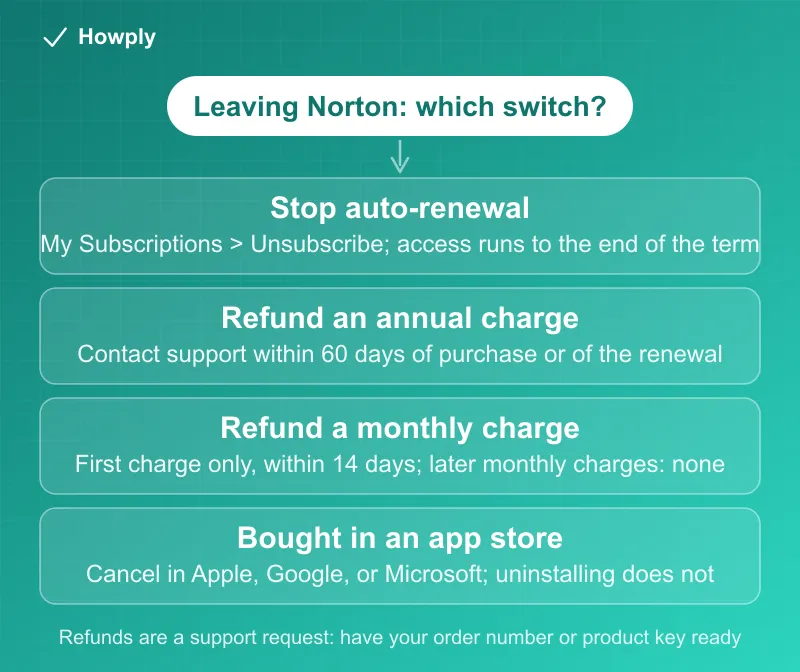
Turn off Norton auto-renewal in My Subscriptions, then know the refund clock: 60 days for annual charges, 14 for a first monthly charge, none for later monthly ones.
A Norton subscription has two separate switches, and most people who want to leave only know about one. Turning off automatic renewal stops the next charge but leaves the subscription running to the end of the term you paid for. Canceling the contract and asking for a refund is a different request, and Norton’s policy attaches a clock to it: 60 days for an annual charge, 14 days for the first charge of a monthly plan, and no refund at all for later monthly charges. Here is how to do each one, what the clocks are, and the cases where Norton says the refund is not available.
The quick answer
- Stop the next charge: sign in to your Norton account > My Subscriptions > Cancel Subscription Renewal (or Manage Renewal) > Unsubscribe > pick a reason > No thanks, cancel my subscription. “Allow up to 24 hours for this change to appear in your account”
- You keep what you paid for: “Your subscription will continue through the end of your already paid subscription term”
- Annual plans: 60 days. “Under our 60-day Money Back Guarantee, the purchase of an annual subscription is eligible for a full refund, if requested within 60 days of the date of purchase,” and “Each subsequent annual charge is also eligible for a full refund if requested within 60 days of being charged”
- Monthly plans: 14 days, once. A monthly purchase is refundable “within 14 days of the date of purchase,” but “Subsequent monthly charges are not eligible for a refund”
- Refunds are a support request, not a button: “Contact us to submit a request. Requests are typically processed within a few days”
- Bought through Apple, Google, or Microsoft? Cancel in that store; “Uninstalling the Norton app from your device does not automatically cancel your subscription,” and Norton’s refund policy does not cover store-billed purchases
Key facts at a glance
| Question | Answer |
|---|---|
| Where to stop auto-renewal | Norton account > My Account > My Subscriptions > Cancel Subscription Renewal or Manage Renewal |
| Time for the change to show | Up to 24 hours; confirmation email within 24 to 48 hours |
| Access after turning renewal off | Through the end of the paid term |
| Annual charge refund | Full refund within 60 days of purchase, and within 60 days of each later annual charge |
| Monthly charge refund | Full refund within 14 days of the first purchase only |
| Trial that converted | Annual: 60 days from the charge. Monthly: 14 days from the first charge |
| How to request | Contact Member Services & Support; refunds go to the original payment method |
| What you need | Order number, product serial number, or product key |
| Not refundable | Store-billed purchases, bundled or complimentary copies, repeat purchases already refunded, services already redeemed |
| In-app purchases | Cancel in the Apple App Store, Google Play, or Microsoft Store, not in your Norton account |
Step 1: turn off automatic renewal
Norton’s renewal page lists the steps for a subscription bought directly from Norton:
- Sign in to your Norton account
- On the My Account page, select the My Subscriptions tab
- Find the subscription and click Cancel Subscription Renewal or Manage Renewal
- Next to Plan Renewal, click Unsubscribe
- Select a reason and click Next. Norton “may present options and offers to encourage you to keep your subscription”
- To finish, click No thanks, cancel my subscription, then Next
A confirmation message appears, and Norton says to “allow up to 24 hours for this change to appear in your account”; the refund policy adds that the confirmation email can take “24 to 48 hours.” You can do this “any time before the day you are due to be charged,” and Norton also sends a pre-billing email before an annual renewal, so the charge should never arrive unannounced.
What changes after you turn renewal off:
- Nothing, until the term ends. “Your subscription will continue through the end of your already paid subscription term. After that term, the subscription will end and will not automatically renew”
- “You may lose any benefits associated with automatic renewal subscriptions.” Norton’s Virus Protection Promise, for example, is described as a service “for customers with an automatically renewing device security subscription”
- Add-ons follow the main plan: “cancelling the renewal of your main subscription will also cancel the renewal of the linked add-on subscriptions,” but canceling an add-on’s renewal “will not cancel the renewal of your main subscription”
Step 2: request a refund, if you are inside the clock
Turning off renewal does not return any money. For that, the policy says to “Contact us to submit a request,” and the request must fit one of these windows. The terms below are Norton’s US policy for purchases made directly from Norton; the policy notes that “If you purchased or are billed through a third party (such as an app store, service provider, retailer, or other reseller), different cancellation and refund terms may apply.”
Annual subscriptions (one-year term or more):
- The original purchase: a full refund “if requested within 60 days of the date of purchase,” under the 60-day Money Back Guarantee
- Renewals: “Each subsequent annual charge is also eligible for a full refund if requested within 60 days of being charged.” That is the line that matters most, because it covers the surprise renewal charge as long as you act within two months of it
Monthly subscriptions:
- The original purchase: a full refund “if requested within 14 days of the date of purchase”
- Renewals: “Subsequent monthly charges are not eligible for a refund.” On a monthly plan, turning off renewal before the next billing date is the only protection
Trials that required a payment method: if you did not cancel in time, the first annual charge after the trial “and then each subsequent annual charge, are eligible for a full refund, if requested within 60 days of being charged.” For a monthly trial, the first charge is refundable within 14 days and later ones are not.
Add-ons: canceling the main contract cancels linked add-ons with “the same refund rights”; canceling only an add-on refunds only that add-on.
Two conditions apply to every refund. “Upon cancellation, you must uninstall and delete all copies of the software from your device(s),” and you need to identify the purchase: “Order number,” “Product serial number,” or “Product key.” Refunds are “issued using the payment method used for the charge being refunded, unless otherwise mutually agreed,” and requests “are typically processed within a few days.” If the money is slow to appear, our guide to how long refunds take covers the usual card timelines.
When Norton says no
The policy lists purchases that “are not eligible for a refund”:
- “Not For Resale (NFR) and complimentary software, products, or services”
- Norton offerings “sold together with third-party offerings (for example, when a third party sells our subscription with a computer)”
- Purchases “completed, fulfilled, renewed or billed by a third party (such as an app store, service provider, reseller, retailer, or vendor)”
- “Repeat purchases that were previously refunded”
- “Norton Services that have already been redeemed or set up”
The first two catch a lot of people: the Norton that came preinstalled on a new laptop, or a copy bundled with another product, is refunded by whoever sold the bundle, if at all.
Bought through the App Store, Google Play, or the Microsoft Store?
Norton’s in-app purchase page is short: “you can cancel or change your subscription settings only from Apple App Store, Google Play Store, or Microsoft Store,” and “Uninstalling the Norton app from your device does not automatically cancel your subscription.” A Norton 360 or Norton VPN trial started in the Apple or Google store “requires a payment method and the activation of an annual paid subscription through an in-app purchase,” and “A charge for the annual paid subscription is initiated at the end of your trial period,” so the trial has to be canceled in the store before it ends.
The store’s own rules then apply to refunds. Our guides to canceling a subscription on iPhone, canceling a Google Play subscription, and getting a refund from Apple cover those paths.
”Norton Annual Renewal” on your statement
Per Norton’s statement page, that line means “you must have enrolled to an automatic renewing subscription during an earlier purchase with us,” and “We send you a pre-billing notification email before we charge you so that you know about the charge.” If the charge is an annual renewal you did not want, the 60-day window above is the remedy; Norton’s renewal refund page says to “contact Member Services & Support.” A charge you cannot place at all is a different problem, covered in our guide to a canceled subscription that is still charging.
Outside the US
The policy has separate sections for some regions. In Germany, the Netherlands, and the UK, a renewal charge outside the 60-day guarantee can get “a pro-rated refund for the full months remaining in your subscription period.” In Quebec, pro-rated refunds “for the remaining days in your subscription period” apply after the guarantee windows. And consumers in the EU, Norway, Iceland, Liechtenstein, and the UK have “a statutory right to withdraw from your contract within 14 calendar days, without giving any reason.” Check the section for your country before assuming the US clocks apply.
Quick answers to what people search
How do I stop Norton from charging me every year? Sign in, open My Subscriptions, and use Cancel Subscription Renewal (or Manage Renewal > Unsubscribe). Do it before the billing date; the change can take up to 24 hours to show.
I was just charged for a Norton renewal. Can I get my money back? For an annual renewal, yes, if you ask within 60 days of the charge. For a monthly renewal, no; only the first monthly purchase is refundable, within 14 days.
Does uninstalling Norton cancel the subscription? No. Norton says so directly for in-app purchases, and for direct purchases the renewal setting in your account is what controls the charge.
Will I lose protection right away if I cancel auto-renewal? No. The subscription runs to the end of the paid term and then ends.
My Norton came with my new computer. Can Norton refund it? Not under this policy: offerings “sold together with third-party offerings” are excluded. The seller of the bundle sets the terms.
Where do I request the refund? There is no refund button in the account. Contact Norton Member Services & Support with your order number, serial number, or product key.
Bottom line
Two steps, in this order: turn off automatic renewal in My Subscriptions so no further charge posts, then, if you are inside the window, contact support for the refund. Annual charges are refundable for 60 days from purchase and from each renewal; a monthly plan is refundable only for its first 14 days. Purchases billed by Apple, Google, Microsoft, or a computer maker fall outside Norton’s policy, and uninstalling the app never cancels anything.
Renewal steps, refund windows, exclusions, and in-app purchase rules verified against the Norton Support articles linked above on September 29, 2026 (the Cancellation and Refund Policy shows a last-modified date of September 7, 2026). Norton notes the policy “is independent of any statutory rights that you may have”; if the process changes, this guide will be updated with the revision noted. This is general information, not legal advice.
Official sources
- Norton Support: Stop your Norton subscription from automatically renewing
- Norton Support: Norton Cancellation and Refund Policy
- Norton Support: Learn more about your automatically renewing subscription
- Norton Support: The automatically renewing subscription charge on your credit card statement
- Norton Support: Cancel the Norton plan in-app purchase from Apple App Store, Google Play Store, or Microsoft Store
- Norton Support: How to request a refund for an annual renewal fee