How to Cancel Audible Without Losing Your Credits
Whether your credits survive cancellation depends on who bills you. The exact steps for every billing path, the 90-day pause alternative, and the credit rules.
Canceling Audible is easy; the expensive mistakes are canceling before spending your credits and canceling in the wrong place. Both come down to one question: who actually bills you, Audible, Apple, or Google? That answer decides where you cancel and, surprisingly, whether your unused credits survive at all. Audiobooks you have already bought stay in your library forever either way.
The quick answer
- Find your biller first. Signed up on audible.com means Audible bills you; through the iOS or Android app can mean Apple or Google does
- Billed by Audible: unused credits are lost at the end of your final billing period, so spend them first, then cancel at audible.com > your name > Account details > Cancel membership
- Billed through Apple or Google: cancel in the App Store or Google Play, not on the Audible site, and per Audible those credits do not expire and survive cancellation
- Mobile works now: on the mobile browser, the menu (≡) > your account > Cancel membership. Deleting the app cancels nothing
- Just need a break? You can pause instead: up to 90 days total every 12 months, payments stop, credits keep their validity (monthly plans only)
- Your library is safe: everything bought with credits or cash stays yours after canceling
Key facts at a glance
| Question | Answer |
|---|---|
| Where do I cancel? | Wherever you are billed: audible.com, the App Store, or Google Play |
| Do Audible-billed credits survive? | No, unused credits are lost when the final billing period ends |
| Do App Store or Google Play credits survive? | Yes, per Audible they do not expire and remain after cancellation |
| Can I pause instead? | Up to 90 days total per 12 months (30/60/90 in the app); annual plans cannot pause |
| Does pausing extend a promo price? | No, promotional periods keep running while paused |
| What happens to my audiobooks? | Titles bought with credits or cash are yours forever, member or not |
| Can I still buy books after canceling? | Yes, cash purchases work without a membership |
Step 0: Spend your credits (if Audible bills you)
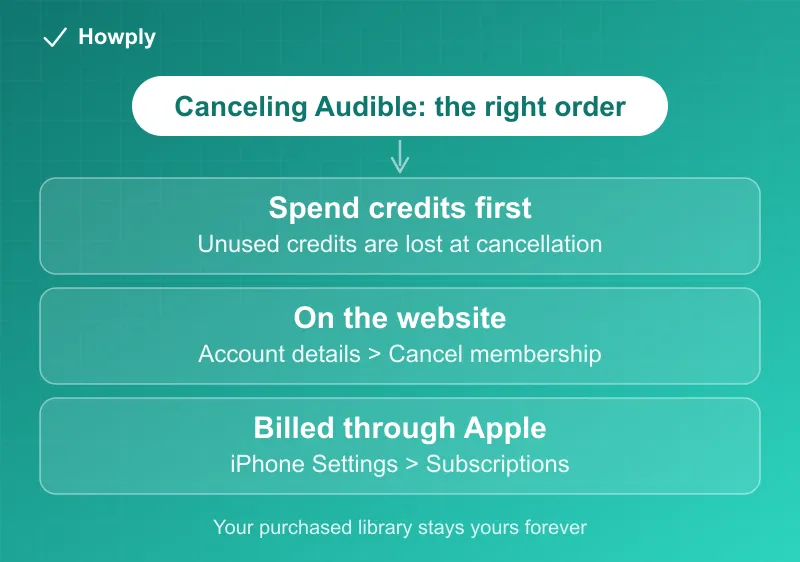
Check the credit counter at the top of your Audible account. Use each remaining credit on an audiobook you actually want to keep; titles bought with credits remain in your library permanently after cancellation. Per Audible’s official cancellation page, unused credits are forfeited when an Audible-billed membership ends.
Two exceptions worth knowing before you rush:
- Credits from App Store or Google Play memberships do not expire and stay in your account even after you cancel, per the same page. If Apple or Google bills you, the spend-first pressure is off
- Switching to the Audible Plus plan (instead of canceling outright) also retains your accrued credits with their original expiration dates
How to cancel (billed by Audible)
On the desktop site:
- Go to audible.com in a browser and sign in
- Click your name in the top navigation and choose Account details
- Select Cancel membership
- Audible will show pause offers and discounts across a few screens; keep choosing Continue to cancel until you reach the confirmation page
- Save the confirmation email, and check that Account details shows the change
On a mobile browser: tap the ≡ menu, select your account, then Cancel membership. Deleting the Audible app does not cancel anything, and Audible says so explicitly.
How to cancel (billed through Apple or Google)
Memberships billed through the App Store or Google Play cannot be canceled on the Audible site. Cancel where the billing lives: on iPhone, Settings > your name > Subscriptions > Audible; on Android, Google Play > profile > Payments and subscriptions > Subscriptions > Audible. The upside of these paths, again: your credits survive.
Consider pausing instead
If your problem is a backlog of unlistened books rather than the service, the pause is genuinely better than canceling, and its official terms are concrete: you can pause for a total of up to 90 days every 12 months (the app offers 30, 60, or 90 days), payments stop, and outstanding credits keep their validity. Two catches from Audible’s pause page: annual plans cannot pause at all, and a promotional price keeps ticking while paused - pause during a 3-month promo and you may resume at full price. Free-trial members can pause once for 30 days, which extends the trial.
What you keep vs what you lose
| Keep | Lose |
|---|---|
| Every audiobook bought with credits or cash | Unused credits at period end (Audible-billed only) |
| Library access forever, including downloads | Plus Catalog titles, which become locked in your library |
| The ability to buy titles with cash, no membership needed | Member discounts on future purchases |
| App Store / Google Play credits (they do not expire) | Included monthly listens on the Standard plan |
Locked Plus Catalog titles are not gone for good: you can buy them outright or rejoin to unlock them.
If Audible keeps charging after you cancel
Almost always this means the cancellation happened in the wrong place: you canceled on the Audible site while Apple or Google carries the billing, or you hold memberships on two accounts (a second email, or a second regional Audible marketplace - Audible sites for other countries run separate memberships, so cancel on the marketplace you actually signed up with). Match the charge on your statement to the biller, cancel there, and if the charges still continue, our still-being-charged guide covers the refund request and dispute ladder step by step.
Bottom line
Identify your biller before anything else. Audible-billed: spend the credits, cancel from Account details, click through the retention screens. Apple or Google-billed: cancel in the store, and relax about the credits, they survive. And if you only need a break, the 90-day pause keeps your credits alive in a way cancellation never will. Amazon’s other reading subscription, Kindle Unlimited, returns borrowed books at your billing date; its steps are in our Kindle Unlimited cancel guide. Amazon Music Unlimited subscribers lose their selected audiobook when they cancel, per our Amazon Music cancel guide.
Verified against Audible’s official cancellation and pause documentation on August 4, 2026. If Audible changes the process, this guide will be updated with the revision noted.