How to Cancel Kindle Unlimited (and Keep Your Reading Intact)
Kindle Unlimited cancels from the Manage Your Membership page, borrowed books return at your billing date, and prepaid months are not refunded. Steps and the pause option.
Canceling Kindle Unlimited takes about a minute on Amazon’s site, and the two things worth knowing before you click are what happens to the books you have checked out and whether you would be better off pausing instead. Here is the exact path, the timing rules, and the prepaid-membership catch.
The quick answer
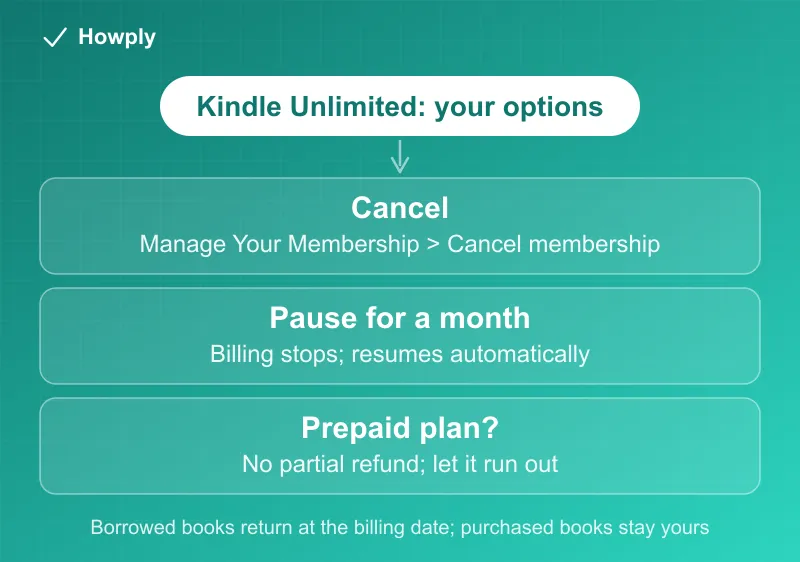
- Cancel at: Amazon’s Manage Your Kindle Unlimited Membership page > Your Membership > Cancel membership
- Access: the membership stays active until your next billing date
- Your borrowed books: after that date, you lose access to titles you have checked out
- Prepaid memberships (gift or bundle): no partial refund for unused months
- Pause instead: you can pause the monthly plan for 1 month rather than canceling
Key facts at a glance
| Question | Answer |
|---|---|
| Where to cancel | Amazon > Manage Your Kindle Unlimited Membership > Cancel membership |
| When it takes effect | Your next billing date; reading continues until then |
| Borrowed titles | Access ends once the billing date passes |
| Books you purchased | Untouched; only Kindle Unlimited borrows are affected |
| Prepaid (gift or bundle) plans | No partial refund for unused months |
| Pause option | 1 month, starts at the end of the billing cycle, resumes automatically |
How to cancel
- Sign in at amazon.com with the account that pays for Kindle Unlimited
- Open the Manage Your Kindle Unlimited Membership page (search “manage Kindle Unlimited” in Amazon’s help, or find it under Account > Memberships & Subscriptions)
- Under Your Membership, select Cancel membership
- Confirm through the prompts and note the end date Amazon shows you
Amazon applies the cancellation at the end of the period you already paid for, so canceling right after a renewal costs nothing extra: you keep borrowing and reading until the billing date.
What happens to your books
The distinction that matters is borrowed versus bought:
- Borrowed through Kindle Unlimited: these are loans. When your membership ends, access to checked-out titles ends with it
- Purchased Kindle books: completely unaffected. Anything you bought stays in your library forever, whether or not you keep Kindle Unlimited
If you are mid-book on a borrowed title, time your cancellation so the billing date lands after you finish it.
The prepaid catch
If your Kindle Unlimited came as a gift or a prepaid bundle, Amazon does not give partial refunds for the months you have not used. Canceling early just ends the auto-renewal; the prepaid time runs its course. In that case there is no reason to cancel before the term is nearly over.
Pause instead of canceling
For monthly subscribers, Amazon offers a 1-month pause as an alternative in the same membership settings. The pause takes effect at the end of your current billing cycle, billing stops for that month, and the subscription resumes automatically afterward (or earlier, if you choose to resume). If your issue is a busy month rather than the service itself, the pause saves you the re-signup later.
Bottom line
Cancel from the Manage Your Kindle Unlimited Membership page, keep reading until your billing date, and remember the split: borrowed books go back, purchased books stay yours. Prepaid plans should simply run out, and monthly readers who just need a break can pause for a month instead.
Steps and policies verified against Amazon’s official Kindle Unlimited help pages as of July 24, 2026. If the process changes, this guide will be updated with the revision noted.