How the Ticketmaster Queue Works: Waiting Room, Refreshing, and Your Turn
Joining the waiting room early does not move you up, a second device sends you to the back, and your turn lasts 10 minutes. The rules in Ticketmaster's words.
A big onsale turns into a ritual: people sit in the waiting room an hour early, refresh every few seconds, and open the sale on a laptop and a phone at once. Ticketmaster’s own help pages say most of that does nothing, and some of it pushes you to the back of the line. This guide answers the questions people type into search while they are stuck in the queue, using Ticketmaster’s wording: when to join, whether the order is random, why the number ahead of you stops moving, and what actually loses your place.
The quick answer
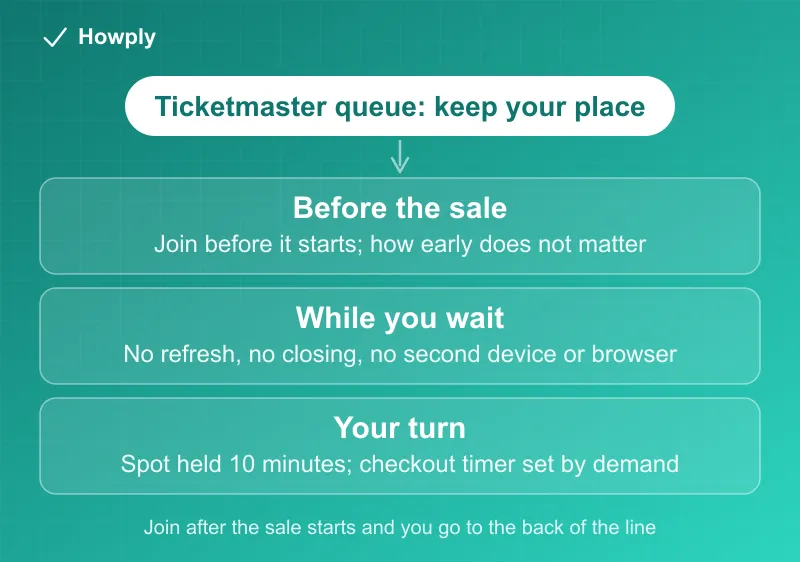
- Join the waiting room before the sale starts; how early does not matter. “The time you join the Waiting Room does not determine your place in the Smart Queue line. As long as you enter the Waiting Room prior to onsale, you’re all set.” Ticketmaster recommends joining “up to 15 minutes prior”
- Late is the one timing mistake. “If you join the queue after the sale starts, you’ll be at the back of the line”
- Do not refresh, close, or leave the page. “Your spot will automatically refresh, so please don’t refresh the page yourself, close or leave the page”
- Do not switch devices. “Trying to enter the queue on a new device or browser will place you at the back of the line”
- Your turn lasts 10 minutes. “When it’s your turn, your spot will be held for 10 minutes”
- Nobody can tell you how long. “A set time is not guaranteed,” and Ticketmaster lets more people in only “when space opens up”
Key facts at a glance
| Question | Ticketmaster’s answer |
|---|---|
| When does the waiting room open? | ”Typically” 30 minutes before the sale |
| Does joining earlier help? | No, as long as you are in before the sale starts |
| Joined after the start? | Back of the line |
| Refresh? | No; the page refreshes itself |
| Second device or browser? | Sends you to the back of the line |
| Multiple tabs? | Only for different dates of a multi-date event, one tab per sale |
| Error while waiting? | Sign out and back in; “Your place in the queue will not change” |
| Time to shop once in | Spot held 10 minutes; checkout timer set “according to ticket demand” |
| Can you skip the line? | ”No, the queue can’t be skipped” |
Does it matter when you join the waiting room?
Only whether you are in before the start. Ticketmaster’s Smart Queue guide is blunt about it: “There is no need to rush.” It adds that “Waiting rooms typically open 30 minutes ahead of time” and that “Anyone who doesn’t join the Waiting Room will be placed at the end of the line.” The US help page on the queue recommends “joining the waiting room up to 15 minutes prior to the event going on sale,” and describes the order of events: “When the sale officially begins, you’ll be given a place in line.”
So sitting in the waiting room for half an hour buys nothing over arriving ten minutes before the start, and arriving one minute after the start costs you a great deal.
Is the queue random, or first come, first served?
Both phrases appear, and they describe different moments. Among everyone already in the waiting room, the time you arrived “does not determine your place,” and places are handed out when the sale begins. After that, the line itself is served in order: “Tickets are available on a first-come, first-served basis and aren’t guaranteed.” Anyone who arrives after the start joins behind everyone who was waiting. In practice the only lever you control is being in the waiting room before the start time.
Should you refresh?
No. The queue page updates itself: “your page will automatically refresh when you enter the queue.” While you wait, “your spot will automatically refresh, so please don’t refresh the page yourself, close or leave the page.” Refreshing is also on Ticketmaster’s list of behavior that looks automated. Its buying tips say “Don’t refresh your browser multiple times and avoid repeatedly clicking,” and warn that looking like a bot “may result in you being blocked for a period of time and unable to shop for tickets.”
Why hasn’t the number ahead of you moved in 10 minutes?
Because the line moves when shoppers ahead of you finish, not on a clock. Ticketmaster’s explanation: “Each fan is given time to scope out the venue’s interactive seat map and shop for the best ticket for them, so there may be a longer wait than you’ve experienced before,” and “We only allow more people in when space opens up.” Each shopper’s turn lasts up to 10 minutes, so by our reading, a stalled count usually means a group ahead of you is still choosing seats; it can then drop in a jump when that group finishes or runs out of time. The help page also warns that “Events using the queue may vary due to traffic and demand that impact wait times.” Stay put: a stalled number is normal, and every fix people try while waiting either does nothing or costs the spot.
The same logic applies if you are 5,000th in line and want to know how long it will take. Ticketmaster’s answer is “No, a set time is not guaranteed.” Your wait depends on how long the people ahead of you spend shopping, which nobody can predict from the position number alone.
Can you move to your computer, or open a second browser?
Not without losing your place. “Can I join the queue more than once using more than one device or browser? No, trying to enter the queue on a new device or browser will place you at the back of the line.” Ticketmaster recommends “one account, one device, and one browser.” The single exception is a tour with several dates: “For events with multiple dates, you can use multiple tabs to join each individual sale once.” If you want to shop on a computer, start on the computer before the sale begins.
Will locking your phone or switching apps lose your spot?
Ticketmaster’s instruction for phones is to “keep your screen active and resist the urge to refresh,” and not to “close or leave the page.” It does not say how long a locked screen or a switch to another app is tolerated, so treat both as risks. Our advice, not Ticketmaster’s: plug the phone in, turn off auto-lock for the sale, and leave the browser tab in front. If you need to step away, Ticketmaster suggests you “Turn up the volume on your device, so when it’s your turn, you hear the queue notification bell sound.”
What if you get an error while waiting?
Ticketmaster’s queue guide says: “If you encounter an error, follow the error directions to try to resolve the issue or try signing out and signing back in. Your place in the queue will not change.” During checkout, the error help page adds a rule that prevents double charges: “Only re-attempt your purchase if you don’t see your order or receive a confirmation email.” An error named “Time’s Up” or “This Page Has Expired” means you “need to select new seats or complete your purchase without unavailable items.”
Why did the queue close, or say tickets are limited?
“Queues may close to prevent fans from waiting unnecessarily for limited tickets at the end of a sale.” Ticketmaster does not publish how many tickets remain when a limited-availability message appears. Its advice when a queue closes is to “check the event page later to shop for any remaining tickets or look for any other upcoming sales for that event.”
When it’s your turn: 10 minutes, then a checkout timer
Once you reach the front, “your spot will be held for 10 minutes.” After you pick seats, a second clock runs. The checkout time limit page explains that “The timer at the top of every page in the checkout process shows you how long you have to complete your purchase before we release your tickets for others to buy,” and that Ticketmaster sets its length “according to ticket demand, so it can differ depending on time of day or for different events.” Two things save time here: the “Best Available” search, which Ticketmaster says will “scan all sections and prices to provide you the best ticket option at that time,” and payment details saved in advance.
For what the price on that checkout page must include, see our guide to how all-in ticket pricing works.
What not to do: the bot signals and the ticket limit
Ticketmaster’s tips list the settings that get real fans flagged: “Turn off your VPN, Apple Private Relay and other proxy servers,” “Turn off any automated tools or browser extensions and avoid public wifi,” and “Stay within one browser window and on a single device to avoid errors.”
The ticket limit is enforced after the sale too. The ticket limit page says “Multiple Ticketmaster accounts may not be used to circumvent or exceed published ticket limits,” including accounts that share a “name, email address, billing address, credit card number or other information,” and: “We reserve the right to cancel your orders and tickets, and to prevent you, without notice, from making future purchases on our site if you try to exceed the posted ticket limits.”
Before the sale: a checklist from Ticketmaster’s pages
- Sign in early. Ticketmaster suggests you “Have your password handy or reset it in advance to avoid any delays”
- Update your account. Keep “your phone number and email address” current and “Have an accepted payment method ready to avoid delays at checkout”
- Use the right link for a presale. “The presale organizer may choose to send you a unique link that gives you access to the queue. Not all presales require a link.” For artist presales, “We’ll send you an email reminder the day before your presales with a link to access the presale”. Which presales need a code, and which box it goes in, is in our guide to how Ticketmaster presales work
- Turn off VPNs, Private Relay, and extensions, and avoid public wifi
- Be in the waiting room before the start time, on the one device and browser you will buy on, 10 to 15 minutes ahead
- Then leave the page alone until the notification bell sounds
If you are weighing ticket insurance at checkout, our guide to Allianz ticket protection explains what it covers and how its refunds work.
Bottom line
Get into the waiting room before the sale starts, on the one device and browser you will buy on; ten to fifteen minutes early is as good as an hour. From then on, do not refresh, close the page, switch devices, or run a VPN, because each of those can cost your place or get you flagged. A number that stops moving is normal, since Ticketmaster admits people only as shoppers ahead finish their 10-minute turns. When you reach the front, pick seats quickly, watch the checkout timer, and do not retry a purchase until you have checked for a confirmation email. Events ticketed by AXS follow their own rules for entry, transfers, and refunds, covered in how AXS tickets work. In California, evading a queue, presale code, or ticket limit becomes unlawful on January 1, 2027 under AB 1349.
Every quotation above is from Ticketmaster’s US Help Center articles and its Guide to Smart Queue, read on September 25, 2026. Ticketmaster does not publish queue sizes, wait times, or remaining ticket counts; statements about why a line stalls are our reading of its published rules and are labeled as such.
Official sources
- Ticketmaster Help: What is the queue and how do I join?
- Ticketmaster: Guide to Smart Queue (waiting room timing and errors)
- Ticketmaster Help: Tips, hints or advice for buying tickets
- Ticketmaster Help: Why is there a time limit for checking out?
- Ticketmaster Help: Why did I receive an error message?
- Ticketmaster Help: Why is there a ticket limit?
- Ticketmaster Help: How do I sign up and access tickets through an artist presale?