Google Play Refund Not Showing Up? How Long Each Method Takes
A Google Play refund can take 1 day or 2 billing cycles depending on how you paid. The official timeline for every payment method, and who to contact when it is late.
Your Google Play refund was approved, the confirmation arrived, and the money is still not there. Before assuming it failed, check how you paid: per Google’s official timelines, an approved refund can legitimately take anywhere from 1 business day to 2 monthly statements to appear, and the difference is entirely the payment method. Here is the official schedule, the status check that tells you whether anything is actually wrong, and who to contact for each case.
The quick answer
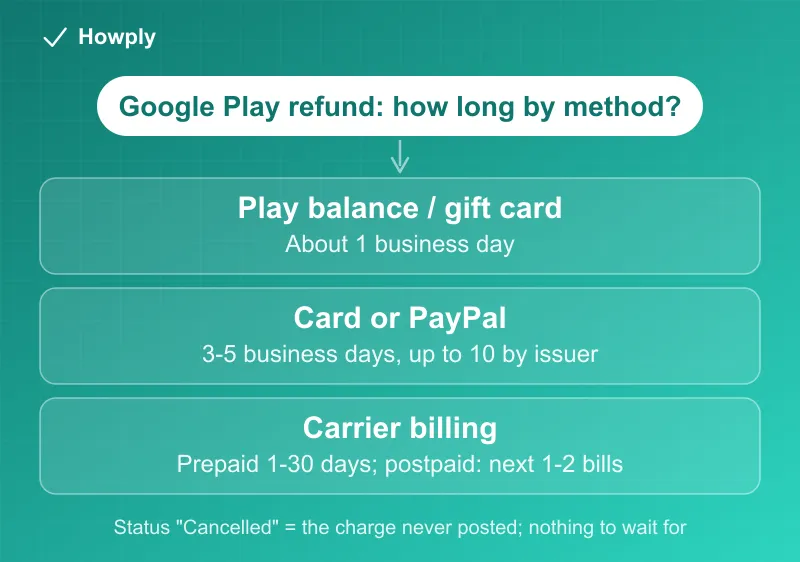
- Google Play balance or gift card credit: about 1 business day
- Credit or debit card: 3 to 5 business days, up to 10 depending on your card issuer
- PayPal: 3 to 5 business days, up to 10 in some cases
- Carrier billing, prepaid: 1 to 30 business days, the carrier controls the pace
- Carrier billing, postpaid: 1 to 2 monthly statements, so it may show as a credit on a future phone bill
- Late beyond that? Check the refund status first; “Cancelled” means the charge never posted at all
Key facts at a glance
| How you paid | Official refund timeline |
|---|---|
| Google Play balance | ~1 business day (occasionally up to 3) |
| Gift card / Play credit | ~1 business day, returned as balance |
| Credit / debit card | 3-5 business days, up to 10 by issuer |
| PayPal | 3-5 business days, up to 10 |
| Carrier billing (prepaid) | 1-30 business days |
| Carrier billing (postpaid) | 1-2 monthly statements |
| Refund shows “Cancelled” | No charge posted; nothing to wait for |
Step 1: read the status before you panic
Google’s guidance for a late refund starts in one place: check the refund status in your Google account’s payment section. Two statuses matter:
- “Refunded” means Google has sent the money back. The wait is now on your bank, card issuer, PayPal, or carrier, within the windows above
- “Cancelled” means the original charge never completed, so there is no money to return. Nothing further will arrive, and the pending charge on your statement should drop off on its own
If the status says Refunded and you are inside the timeline for your payment method, everything is working as documented. The card window in particular surprises people: your bank can take up to 10 business days to post a credit even after Google has already released it.
The postpaid carrier trap
The single most panic-inducing case is carrier billing on a postpaid plan, where purchases ride on your monthly phone bill. A refund there does not appear as a bank deposit at all: it arrives as a credit on one of your next 1 to 2 phone bills. If you refunded an app in the first week of your billing cycle, the credit may not surface for well over a month, and it will be a line item on the carrier statement, not a Google notification. Check the bill before assuming the refund is lost.
Who to contact, by situation
Once you are past the official window, Google’s own routing is specific:
- Card refund to a closed or inactive card: contact the bank, not Google. The bank received the funds and holds the recovery process
- Carrier billing delays: contact your mobile carrier to check where the credit is in their processing
- PayPal delays: contact PayPal, especially if the PayPal account draws on a linked bank or card underneath
- Regional payment providers (KakaoPay, PAYCO, and similar): contact the provider directly
- A charge you never made: report it to Google within 120 days of the transaction, which is the documented window for unauthorized-charge claims
Refund request vs card chargeback (changed August 2026)
There are two different doors when Play money goes wrong: asking for a refund through Google Play and disputing the charge with your card issuer (a chargeback). They are not interchangeable, and as of orders placed after August 3, 2026, Google’s updated policy changed what happens behind the chargeback door: the app’s developer now directly bears the refunded purchase amount plus the bank’s chargeback fees, and Google gave developers a new system to submit transaction evidence and contest chargebacks they consider illegitimate.
What that means for you, practically:
- Use the official refund path first, always. The Play refund flow and, past 48 hours, the developer are the routes built for this, and they leave a paper trail
- A chargeback is now more likely to be contested with transaction records, so treat it as the last resort for genuine failures (a refund that was approved but never arrived, or a charge for something never delivered), not a shortcut around a denied refund request
- Keep your evidence either way: refund request confirmations, denial messages, and the dates. If it does come to a formal card dispute, the written process and its 60-day window are covered in our still-being-charged guide
- Google has also said it is expanding guardrails against refund abuse in 2026, so repeated or frivolous claims are likely to face more friction, another reason the documented official path beats the shortcut
If the refund was from another store
Missing refunds work differently at each storefront. If your late refund is from Apple rather than Google, the flow runs through reportaproblem.apple.com and is covered in our Apple refund guide; Steam refunds land within a week of approval, detailed in our Steam refund guide.
A different kind of Google Play money (September 2026)
If the payment you are waiting for is not a purchase refund but the $700 million Play Store antitrust settlement, that money moves on its own track: automatic PayPal or Venmo payments, no claim form for most people, and a court order that had not yet been signed as of early September 2026. The details and the scam checklist are in our settlement payment guide.
Bottom line
Match your payment method to the table before doing anything else: balance refunds are next-day, cards can honestly take two weeks end to end, and postpaid carrier billing pays you back on a future phone bill rather than in an account. Check for “Refunded” vs “Cancelled” status, and when the window truly expires, the right door is usually your bank or carrier, because at that point the money has already left Google. To stop the next charge as well, see how to cancel a Google Play subscription; uninstalling the app does not do it.
Timelines verified against Google Play’s official refund documentation. If Google changes the schedule, this guide will be updated with the revision noted.