Amazon Refund Not Showing Up? The Real Timelines After a Return
A gift card refund lands in hours while a prepaid card can take 30 days. The official Amazon timelines by method, the hidden balance trap, and when to call.
The return went back days ago, the tracking shows it moving, and your money is nowhere. Before assuming something broke, know that Amazon’s own policy allows the whole journey to take up to 30 days, and the slowest leg is usually the one nobody checks: the refund method itself. A gift card refund lands in 2 to 3 hours. The same refund to a prepaid card can legitimately take a month. Here are the official timelines, the places a refund hides, and the point at which contacting Amazon is actually warranted.
The quick answer
- Amazon gift card balance: 2 to 3 hours after processing
- Credit card: 3 to 5 business days
- Shop with Reward Points: up to 5 business days
- Debit card: up to 10 business days
- Checking account, EBT, cash pickup, or prepaid card: up to 30 days
- The clock has three legs. Return shipping, then Amazon’s processing, then your bank’s window. The method timelines above only start after processing
- Expired or closed card? Amazon does not mail a check. The refund becomes Amazon gift card balance on your account
- Returned more than 30 days ago with no refund email? That is the official threshold for contacting Customer Service
Key facts at a glance
| Refund method | Official time after processing |
|---|---|
| Amazon.com gift card balance | 2-3 hours |
| Credit card | 3-5 business days |
| Shop with Reward Points | Up to 5 business days |
| Debit card | Up to 10 business days |
| Checking account | Up to 30 days |
| EBT, cash, or prepaid credit card | Up to 30 days |
| Promotional certificate | No refund issued |
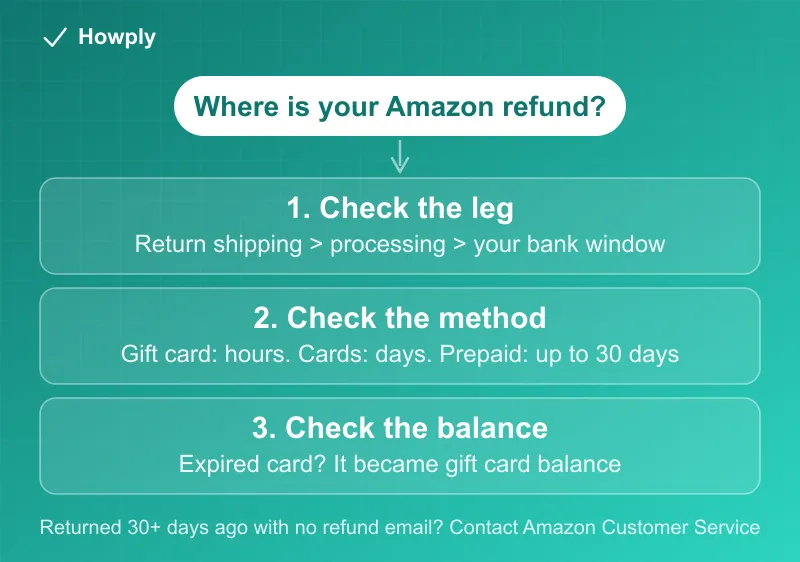
The clock has three legs, and you only see one
“Refunds can take up to 30 days” is Amazon’s official total, and it splits into stages the status page does not always make obvious:
- The return trip. Your item has to physically reach Amazon, which depends on the drop-off option and carrier speed
- Processing. Amazon receives and inspects the return, then issues the refund
- Your bank’s window. Only now do the method timelines start counting, and this leg is on your bank, not Amazon
So a refund marked as issued is real even when your card shows nothing. Check where you actually are first: go to Your Returns, find the item under the last 3 months, and open the refund details, the exact steps on Amazon’s refund status page. Once a refund is issued, Amazon also emails a refund summary, and every refund appears in Your Transactions. If the status says issued and you paid by debit or bank account, the honest answer is that waiting out the window usually resolves it.
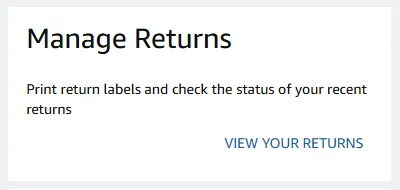
The same list is reachable from the Returns Center: its Manage Returns card is where Amazon puts both the label printing and the status check, behind one View your returns link:
The advanced refund, and its catch
Some returns get an advanced refund: Amazon issues the money when the carrier first scans your package, before anyone has inspected it. Faster for you, but it comes with conditions worth knowing, because they run in reverse. If the item never arrives within the return window, Amazon sends a reminder and then charges your account again for the advanced refund. The charge is reversed once the return is received and processed. To stay out of that loop: send it by the date in your return confirmation email, in original condition, with the correct label, from an approved drop-off location.
The hidden refund spot almost nobody checks
If Amazon cannot use your original payment method, for example an expired or replaced card, the refund does not bounce back to the bank or arrive as a check. Per Amazon’s policy, it is added to your Amazon gift card balance. A “missing” refund is often sitting there already, so check your balance at amazon.com/gc/balance before anything else.
Gift returns route the same way: when a gift recipient returns an item, the refund goes to the gift card balance of the account that created the return, not to the buyer’s card. The purchaser only gets the refund if they run the return themselves.
Why the amount can come back smaller
Amazon inspects every return, and refunds are reduced for signs of use, damage, or missing parts. The published reductions are concrete, and the refund email itemizes which one applied:
| Deduction | When it applies | Amount (Amazon’s published figure) |
|---|---|---|
| Return shipping fee | You picked a drop-off or shipping option that is not free, the item is heavy or bulky (50 lbs+, longest side over 59 in, or girth over 130 in), or your return rate is unusually high | Varies by item and method |
| Late fee | You did not drop off or complete pickup by the “return by date” | 20% of the item price for the first 30 days late, 100% after that |
| Damage fee | Item damaged, missing parts, tags removed, or obvious signs of use, not caused by Amazon or seller error | Up to 50% of the item price (100% for Luxury Stores) |
| Restocking fee | Opened collectible cards, board or tabletop games, collectible or chase figurines; opened, activated, or incomplete software and video games | 100% of the item price |
| Discount unwind | The returned item was part of a discount qualification (a bundle or threshold deal) | Refund reduced by the discount the return no longer earns |
Two details from Amazon’s own pages that catch people: an item cannot be sent back to you once it has been returned, so a 100% fee is a total loss rather than a “keep it” outcome; and in Connecticut, Maryland, Nevada, Pennsylvania, Virginia, West Virginia, and Wisconsin, sales tax can be charged on restocking fees for items shipped and sold by Amazon.com, which is why a fee line can be a few cents higher than the item-price percentage. If the deduction does not match any row above, that is the case worth raising with Customer Service, with the refund email in hand.
When to actually contact Amazon
Amazon’s own threshold is clear: if you returned the item more than 30 days ago and have no refund notification, contact Customer Service. Earlier than that, support will mostly restate the timelines above. For items sold by third-party sellers, the escalation path past the seller is Amazon’s A-to-z Guarantee claim, which has its own process in Your Orders.
If the refund is from another storefront, each runs on its own clock: Google Play timelines range from a day to two phone bills, and PayPal refunds can take one to two full billing cycles to reach a credit card.
Bottom line
Match your expectation to the method before worrying: gift card balance in hours, credit card inside a week, debit inside two, bank and prepaid up to a month, all after the return is received and processed. Check Your Returns for the issued status, check your gift card balance for the refund that silently changed lanes, and reread the refund email if the amount shrank. Past 30 days with nothing, that is what Customer Service is for. How Amazon’s 30-day window compares with Walmart, Target, Costco and Best Buy is in our return windows comparison. Amazon’s own refund timelines by payment method, and the up-to-30-day processing before them, are in our Amazon return policy guide.
Timelines and mechanics verified against Amazon’s official help documentation. Updated August 17, 2026: the deduction table was expanded from Amazon’s Return Policy page (shipping, late, damage, restocking, and discount-unwind lines, plus the seven states that tax restocking fees). The Returns Center screenshot is from our own Amazon account on August 25, 2026. If Amazon changes the process, this guide will be updated with the revision noted.