How to Cancel a Deceased Family Member's Subscriptions
The official bereavement paths at Amazon, Netflix, Apple, and Google, what documents each one actually requires, and the one call that stops every charge at once.
When someone dies, their subscriptions do not. Streaming, storage, Prime, app renewals: every one of them keeps billing the card on file until somebody stops it, and the person who could log in and click cancel is gone. The good news is that you do not need their passwords, and in most cases you do not need a lawyer either. Amazon, Netflix, Apple, and Google each have a published bereavement process, the requirements are lighter than most people fear, and there is one phone call that stops every charge at once while you work through the rest.
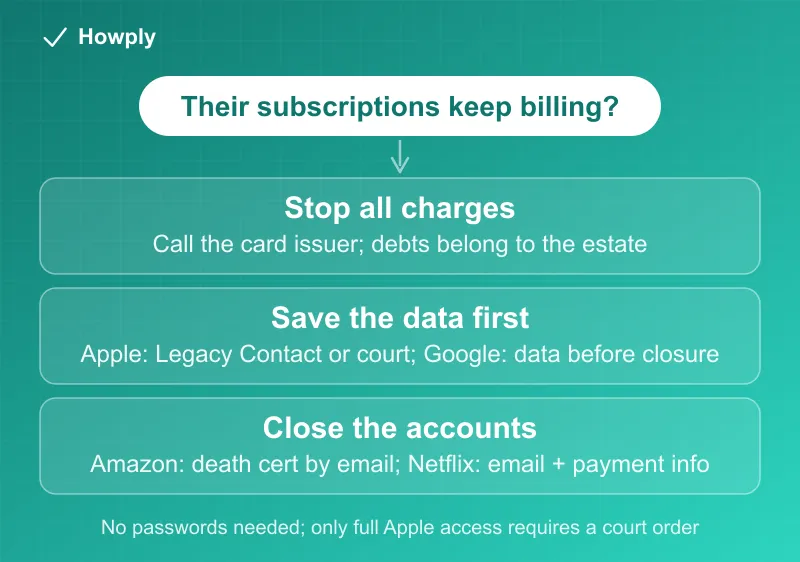
The quick answer
- Stop the bleeding first: notify the card issuer of the death. Charges to a closed card stop, and per the CFPB, you are not personally responsible for the deceased’s debts unless you were a co-signer or joint account holder
- If you can get into the account (their phone, their email, a shared password manager), just cancel normally. Every service treats a logged-in cancellation as valid
- Amazon: email bereavement-support-cs@amazon.com with the death certificate and the account’s email or phone. Even without full estate paperwork, Amazon will still terminate subscriptions, stop recurring deliveries, and deactivate the account
- Netflix: with access, use Cancel Membership on the Account page. Without it, contact support with the account’s email or phone plus the payment details being billed
- Apple: a Legacy Contact with an access key is the fast path. Without one, deletion requires a death certificate and legal documentation; full data access in the U.S. requires a court order
- Google: one form covers closing the account, requesting funds, or requesting data. Google will not hand over passwords under any circumstances
- Do not just let the charges bounce: unpaid subscription charges become a claim against the estate, and the accounts (and everything in them) stay in limbo
Key facts at a glance
| Service | Where to go | Minimum documents |
|---|---|---|
| Any card-billed subscription | Call the card issuer | Death certificate (issuer will say what else) |
| Amazon | bereavement-support-cs@amazon.com | Death certificate + account email/phone (subscriptions, deliveries, deactivation) |
| Netflix | Account page, or contact support | Account email/phone + payment info on file |
| Apple | Legacy Contact, or support with documents | Access key, or death certificate + legal documentation |
| Deceased user request form | Reviewed case by case; no passwords ever released |
Start with the card, not the services
Every subscription routes through a payment method, and the estate’s representative can shut that gate once instead of hunting down each service. Tell the issuer the cardholder has died; the account is closed and future subscription charges stop.
Two protections worth knowing from the CFPB: the deceased’s debts belong to the estate, not to the family. For survivors, including spouses, “you’re not responsible for their debts unless you shared legal responsibility for repaying as a co-signer, a joint account holder, or if you fall within another exception.” And if only an authorized user remains on the account, the issuer may not impose fees and charges on it.
Closing the card stops the billing, but it does not close the accounts. The Netflix profile keeps existing, the iCloud photos stay locked, and services may treat a failed charge as a past-due balance rather than a cancellation. That is what the per-service processes below are for. If you are not sure what was even being billed, our find all your subscriptions guide shows how to read a statement for recurring charges.
Amazon: the most forgiving process
Amazon’s bereavement support page is unusually direct. If you have access to the account’s email or phone, you can “sign in to the account to manage or close it” or “reset the password using the Forgot password link.” That covers Prime, Kindle Unlimited, Audible, Subscribe & Save, all of it.
Without access, the full process requires four things: “a copy of the death certificate,” “proof of authorization showing you’re the legal representative of the deceased’s estate (such as a probate or executor documentation),” “a valid photographic ID,” and the account’s email or phone number. Email everything to bereavement-support-cs@amazon.com. Amazon says “all documents will be securely deleted after validation.”
The clause most people miss: you do not need the full package to stop the money. Amazon states that if you cannot provide all the required documents, “we can still assist with” terminating subscriptions, stopping recurring deliveries, and deactivating the account, with just “the death certificate and the email or phone number associated with the account.” Probate can take months; the subscriptions can stop this week.
Netflix: two short paths
Per Netflix’s deceased member page, with access it is the normal flow: “Click the Cancel Membership link on the Account page,” and optionally “sign out of all devices connected to the account.” The mechanics are the same as our Netflix cancel guide.
Without access, Netflix asks you to gather two things and contact support: the “email address or phone number associated with the Netflix account” and the “full payment information currently used to pay for Netflix.” That second item usually means the card being charged, which the estate’s representative can read off the statement.
Apple: the one to plan around
Apple holds the most valuable things (photos, messages, files), and it is the strictest. Per Apple’s official page, there are three tiers:
- A Legacy Contact is “the easiest, most secure way.” If your family member set one up under Digital Legacy, the contact uses an access key that may be “in your Apple Account settings, printed out, or included in your loved one’s estate planning documents”
- Access without a Legacy Contact requires, in the U.S., a court order naming you as the rightful inheritor of the personal information. Even then, some end-to-end encrypted data may be unreachable
- Deletion is easier than access. To have the account and its data deleted, Apple asks for the Apple Account identifier and “required legal documentation for your country or region,” which “generally includes a death certificate”
For stopping subscription billing specifically, deletion or the card-issuer route is usually enough. The court order path only matters if the family needs what is stored inside the account.
Google: one form, three requests
Google routes everything through its deceased user request form, which offers three options: “close the account of a deceased user,” “submit a request for funds from a deceased user’s account” (Google Pay balances, AdSense earnings), or “obtain data from a deceased user’s account.”
Two rules shape the process. Google “cannot provide passwords or other login details” under any circumstances, and “any decision to satisfy a request about a deceased user will be made only after a careful review.” One irreversible detail: if you choose to close the account, Google cannot process a data request afterward. Request the data first if the family wants the photos or email; close second.
Closing the Google account ends Google One, YouTube Premium, and any Play subscriptions billed through it.
The order of operations
- Call the card issuer(s) with the death certificate. This stops every subscription charge at once and is the estate representative’s job anyway
- List what was billing. Go through 2 or 3 months of statements for recurring charges. The subscription-finding guide covers the patterns
- Decide what needs data, not just cancellation. Apple and Google accounts hold photos and mail; request access or data before requesting deletion or closure
- Work the bereavement paths above for accounts that should be closed properly, starting with Amazon’s light-documentation option
- Watch the next statement. If a service keeps charging a card that should be closed, the canceled but still charged guide and the bank dispute guide cover the escalation
Set this up for your own family now
The entire painful half of this guide disappears with ten minutes of setup. Apple’s Digital Legacy lets you name a Legacy Contact today, and Google’s Inactive Account Manager lets you “let us know who should have access to your information, and whether you want your account to be deleted.” Both are free, and both turn a court-order problem into a click.
Bottom line
Notify the card issuer first; that stops the money, and the debts belong to the estate, not to you, unless you co-signed or held the account jointly. Then close accounts in the right order: data out of Apple and Google before closure, Amazon by email with just a death certificate for the subscription-stopping part, Netflix with the account email and payment info. None of it requires passwords, and only full access to an Apple account requires a court. To save a relative’s photos and messages before closing accounts, where to request each app’s data and how long it takes are in our download your data guide.
Processes and quotes from Amazon’s, Netflix’s, Apple’s, and Google’s official bereavement pages and the CFPB, linked above, verified August 28, 2026, with the quotes rechecked against the live pages on September 30, 2026. Documentation requirements vary by country; the linked pages are the source of truth.
Official sources
- Amazon Customer Service: Bereavement support
- Netflix Help Center: How to cancel an account for a deceased Netflix member
- Apple Support: Request access to a deceased family member's Apple Account
- Google Account Help: Submit a request regarding a deceased user's account
- CFPB: Does a person's debt go away when they die?