How to Cancel DashPass (DoorDash) Before It Renews Again
DashPass cancels from Manage DashPass in the app or on doordash.com, with a 24-hour cutoff before renewal. The steps, the free-trial trap, and the pause option.
Canceling DashPass takes under a minute in the app, and the two rules worth knowing are about timing: cancel at least 24 hours before your renewal, and know that ending a free trial cuts your benefits off immediately rather than at the end of the trial. Here is the exact path, both timing traps, and the pause option DoorDash offers instead.
The quick answer
- Cancel at: the DoorDash app or doordash.com > account icon > Manage DashPass > Cancel Membership
- Timing: cancel at least 24 hours before your next scheduled payment to avoid another charge
- Access: paid benefits continue through the end of the current billing period
- Free trial warning: cancel during a trial and benefits end immediately, not at the trial’s end
- Alternative: a Pause Membership option lives on the same Manage DashPass page
Key facts at a glance
| Question | Answer |
|---|---|
| Where to cancel | App or doordash.com > account icon > Manage DashPass > Cancel Membership |
| Deadline | 24 hours before the next scheduled payment |
| When paid benefits end | End of the current billing period |
| Canceling during a free trial | Benefits are terminated immediately |
| Refunds after a charge | Not offered; the period you paid for runs out instead |
| Rather take a break? | Pause Membership on the same page stops billing without quitting |
| Confirmation | DoorDash emails you once the cancellation goes through |
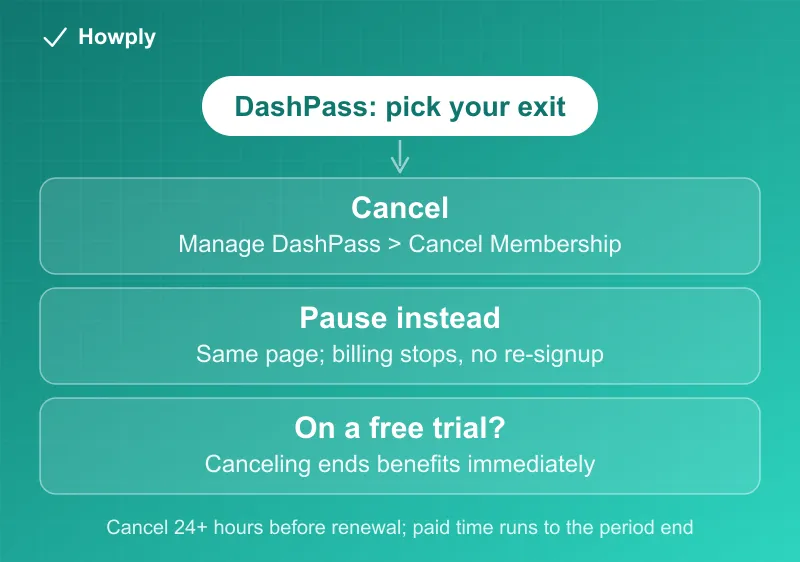
How to cancel
The flow is identical in the app and on the website:
- Open the DoorDash app or doordash.com and sign in
- Tap or click your account icon
- Select Manage DashPass
- Choose Cancel Membership
- Pick a reason, confirm with Cancel DashPass, then Got it
- Keep the confirmation email until your final billing date passes
The two timing traps
The 24-hour rule. DoorDash’s policy requires canceling at least 24 hours before your next scheduled payment. Inside that window, the renewal can still go through, and since refunds are not offered once a period is charged, that is a month (or a year, on annual plans) you are keeping. Your renewal date is shown on the Manage DashPass page; check it before you decide you have time.
The free-trial cutoff. Paid members keep benefits until the period ends, but trials work the opposite way: cancel during a free trial and DashPass ends on the spot. If you want the full trial, set a reminder for the day before it converts and cancel then, more than 24 hours ahead of the first charge.
Pause instead of canceling
The same Manage DashPass page offers Pause Membership. Billing stops while paused, and you skip the re-signup later. If your reason for leaving is a slow month rather than the fees themselves, the pause gets you the same savings without losing the account setup. (If your DashPass came bundled through a credit card or another partner, manage it through that partner’s terms instead.)
After you cancel
Benefits (the $0 delivery fee on eligible orders and reduced service fees) keep working until the billing period ends, then orders return to standard fees. Your DoorDash account, addresses, and order history are untouched. Watch your next statement to confirm no further DashPass charge; if one lands anyway, contact DoorDash support with your confirmation email.
Bottom line
Account icon > Manage DashPass > Cancel Membership, at least 24 hours before renewal. Paid time runs to the end of the period, trials end instantly, and the pause option covers the “just need a break” case without quitting. The other two big delivery memberships cancel differently: see our Uber One guide for its 48-hour rule and our Instacart+ guide for its refund window.
Steps and policies verified against DoorDash’s official help center as of July 26, 2026. If the process changes, this guide will be updated with the revision noted.