How to Cancel Instacart+ (and the 5-Day Refund Window)
Instacart+ cancels from Your Instacart+ membership in the app or on the web. The steps, the annual 5-day refund rule with its one condition, and the trial timing.
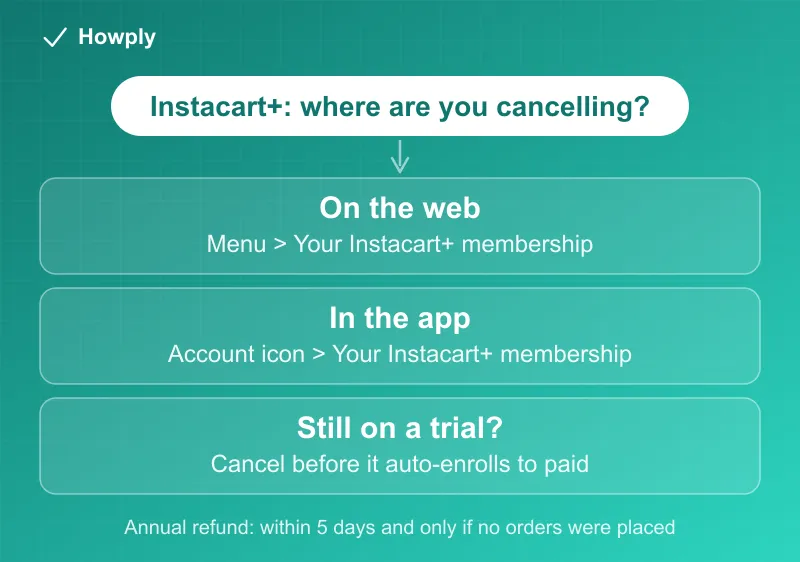
Canceling Instacart+ takes three taps, and the money question comes down to one rule most people miss: annual members have a five-day refund window, but it evaporates the moment you place a single order with the membership. Here is the exact path on both app and web, the refund rule with its condition spelled out, and the trial timing to watch.
The quick answer
- On the web: the three horizontal lines (top left) > Your Instacart+ membership > under Manage your membership, Cancel membership
- In the app: the Account icon (top right) > Your Instacart+ membership > Cancel membership
- Annual refund window: within the first 5 calendar days of your paid membership, only if you have not placed an order using it
- Free trials: they auto-enroll into a paid plan at the end, so cancel before the trial ends
- Renewal charges: can post up to 6 hours before the renewal itself
Key facts at a glance
| Question | Answer |
|---|---|
| Where to cancel (web) | Menu (three lines) > Your Instacart+ membership > Cancel membership |
| Where to cancel (app) | Account icon > Your Instacart+ membership > Cancel membership |
| Annual refund window | First 5 calendar days of the paid membership |
| The condition | No orders placed using the membership |
| Free trial | Auto-enrolls into a paid plan; cancel before it ends |
| Charge timing | May post up to 6 hours before your renewal |
| Support | 1-888-246-7822 |
How to cancel
On the website:
- Select the three horizontal lines in the upper left corner
- Choose Your Instacart+ membership
- Under Manage your membership, select Cancel membership and confirm
In the app:
- Tap the Account icon in the upper right corner
- Tap Your Instacart+ membership
- Under Manage your membership, tap Cancel membership and confirm
Both paths are documented on Instacart’s Manage your Instacart+ membership help page. Same account rule as every subscription: use the account that pays. Households that share an Instacart login rarely hit this, but a second family account will not show the membership.
The 5-day refund rule and its one condition
Instacart’s annual refund policy is more generous than most, with a catch that voids it instantly:
- You may cancel within the first 5 calendar days of your paid annual membership and receive a refund of the membership fee
- Only if you have not placed any orders using the Instacart+ membership in that time
That condition is the whole rule in practice. One delivery with free-delivery applied, and the refund is off the table even on day one. If you are unsure whether the annual plan is worth it, do not order until you have decided.
Note also that Instacart may apply the renewal charge up to 6 hours before the renewal date itself. If you are cutting it close to an annual renewal you do not want, do not wait until the morning of.
Free trials convert automatically
Instacart+ trials auto-enroll into a paid plan when they end. Your membership details and the trial end date are in your account settings, and you can cancel the trial there before it converts. Set a reminder for the day before rather than trusting yourself to remember, because the paid charge is what starts the 5-day clock discussed above.
What you lose after canceling
Instacart+ perks (reduced or waived delivery fees on eligible orders, lower service fees, and member pricing where offered) end with the membership. Your Instacart account, order history, saved addresses, and payment methods stay in place, so re-subscribing later is a single step rather than a re-signup.
Bottom line
Menu or Account icon > Your Instacart+ membership > Cancel membership. If you are on an annual plan and inside five days with zero orders placed, ask for the refund now. If you are on a trial, cancel before it converts, because that charge starts a clock you cannot pause. Uber One, by contrast, needs 48 hours’ notice before your billing day; see our Uber One cancel guide.
Steps and policies verified against Instacart’s official Help Center documentation as of July 27, 2026. If the process changes, this guide will be updated with the revision noted.