Apple Refund Not Showing Up? Timelines, Pending Status, and Declines
Apple decides in 24 to 48 hours, then the money takes up to 48 hours on store credit, 30 days on cards, or 60 days on carrier billing. The full status map.
An Apple refund has two separate waits, and most of the frustration comes from mixing them up. First Apple decides, which officially takes 24 to 48 hours. Then, if approved, the money travels back by a schedule that ranges from two days to two months depending on how you paid. Apple’s own status page is blunt about the part people test anyway: once a request is in, calling or chatting with Apple will not speed anything up. Here is the full map, including the charge you cannot find and what a decline actually leaves you.
The quick answer
- The decision takes 24 to 48 hours. Check it at reportaproblem.apple.com under Check Status of Claims, then tap Pending
- No “Check Status of Claims” menu? Per Apple, that means you have no pending requests. Your request either was never submitted or is already decided
- Approved to store credit: up to 48 hours to reach your Apple Account balance
- Approved to cards, Apple Pay, or Apple Cash: up to 30 days to show on a statement
- Approved to mobile carrier billing: up to 60 days, and the delay is on the carrier’s side
- Past 30 days on a card refund? Apple’s instruction is to contact your financial institution, not Apple
- Refunds are not guaranteed. Apple’s policy says purchases “might be eligible”; a decline is a decision, not a glitch
Key facts at a glance
| Question | Answer |
|---|---|
| How long until Apple decides? | 24 to 48 hours after the request |
| Where do I see the status? | reportaproblem.apple.com, Check Status of Claims, then Pending |
| Approved: store credit | Up to 48 hours to Apple Account balance |
| Approved: card, Apple Pay, Apple Cash | Up to 30 days to appear on the statement |
| Approved: carrier billing | Up to 60 days; ask your carrier for updates |
| Refund missing 30+ days after approval | Contact your bank or card issuer |
| Do I keep the refunded item? | No; Apple notes you may lose access to refunded items |
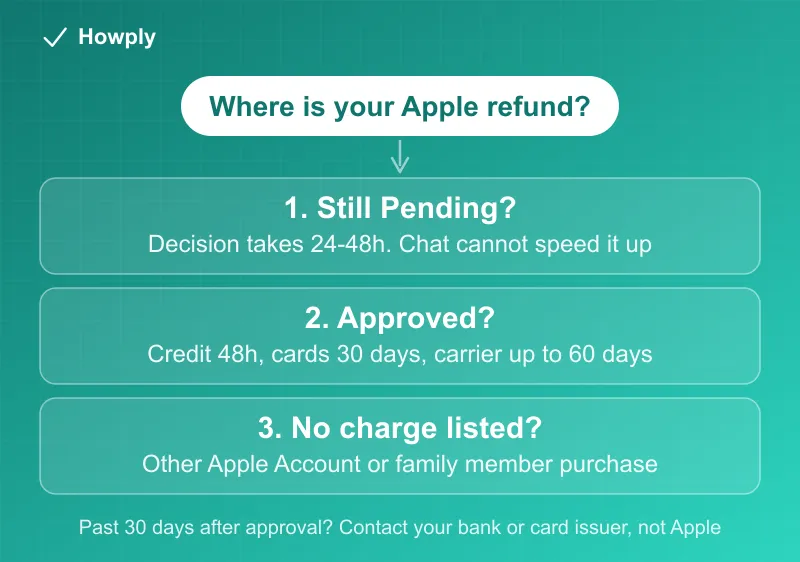
Two clocks, not one
The 24-to-48-hour figure only covers Apple’s yes-or-no. Approval starts a second clock that depends entirely on the payment method: store credit lands within about two days, cards and Apple Pay can honestly take a full billing month, and carrier billing, where the refund has to travel through your phone company’s statement cycle, can take up to 60 days. That last one surprises people the most, and Apple explicitly points you to the carrier, not Apple, for updates on it. Once a card refund is more than 30 days past approval, the official next step is your bank or card issuer, because the money has already left Apple’s side.
The charge you cannot find
Before the maze, one shortcut on the site itself: the signed-in page has a Search by Price box under the request form, and typing the exact amount from your statement often surfaces a charge that scrolling missed:
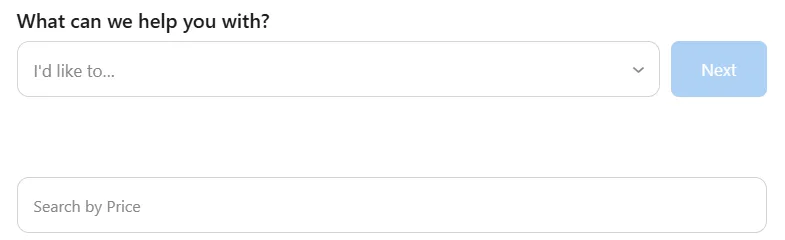
If the purchase still does not appear at reportaproblem.apple.com, Apple’s own troubleshooting is a short maze worth walking in order:
- Search your email for “receipt from Apple” or “invoice from Apple” and match the amount. The receipt shows which Apple Account actually made the purchase
- Different account on the receipt? Sign in to reportaproblem.apple.com with that account and request from there
- Family Sharing purchase? If you are the family organizer, you can request refunds for purchases charged to the shared payment method: tap the Apple Account button and choose All
- Charge still pending? You cannot request a refund yet. Wait for the email receipt, then try again
- Unpaid order? You have to pay it before a refund request is possible
One more regional wrinkle: in the EU, some app purchases are not billed through Apple at all, and those refunds belong to the developer’s payment system, not reportaproblem.apple.com.
If the request is declined
Apple’s policy language is deliberate: purchases “might be eligible” for a refund, eligibility varies by country, and no reason is owed for a decline. What actually remains on the table:
- Consumer protection law still applies. Apple states that in countries with consumer protections, you keep those rights on top of its policy. If the purchase was defective or not delivered, that is a legal claim, not an Apple goodwill claim
- Contact Apple Support for cases the website cannot handle. Apple points refunds that cannot be requested on reportaproblem.apple.com to its support channel, and a human can review context the form cannot
- Stop the bleeding on subscriptions. A declined refund does not stop the next renewal; cancel the subscription itself, which our Apple App Store refund guide covers alongside the request flow
- The card dispute is the last rung, not the first. The general escalation ladder for a charge a company will not return, including the written dispute process and its 60-day window, is in our still-being-charged guide
Bottom line
Read the two clocks separately: 24 to 48 hours for the decision, then 48 hours to 60 days for the money depending on the payment method, with carrier billing as the slow lane. A missing charge usually lives on another Apple Account or a family member’s screen, and a missing refund past 30 days is a bank conversation. And if the answer was no, the useful moves are consumer-law rights, Apple Support for the edge cases, and canceling the subscription so the question does not repeat next month.
Timelines and mechanics verified against Apple’s official support documentation; the reportaproblem.apple.com screenshot is from our own Apple Account on August 25, 2026. If Apple changes the process, this guide will be updated with the revision noted.