How to Cancel SiriusXM: Online, by Chat, or by Phone
Some SiriusXM plans can be canceled online from the Subscriptions tab; others require chat or a phone call. Here is each path, plus how to handle the retention offers.
SiriusXM cancellation depends on your plan: some direct-billed subscriptions can be canceled online in a few clicks, while others still require chatting with an agent or calling. Here is each path and what to expect from the retention pitch.
The quick answer
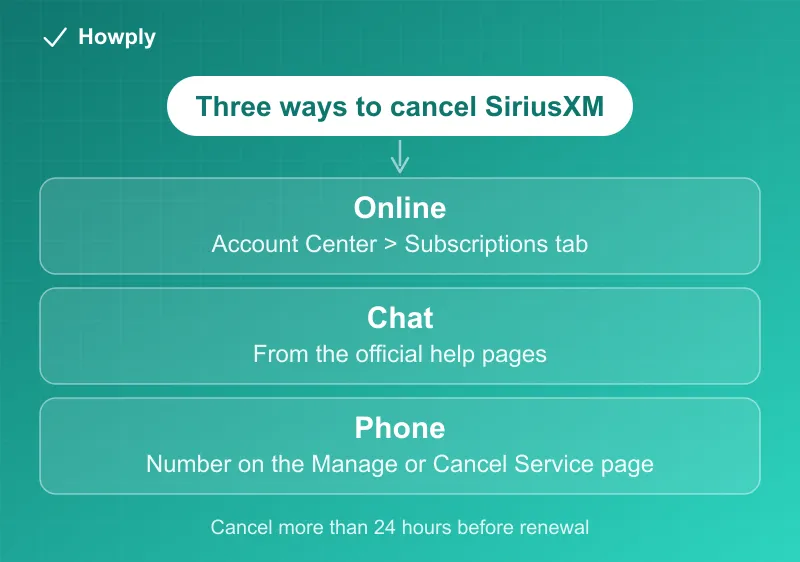
- Online: sign in at siriusxm.com > Online Account Center > Subscriptions tab > look for the cancel option (not available for all plans)
- Chat: SiriusXM’s help pages offer live chat with an agent who can cancel for you
- Phone: call the number listed on SiriusXM’s official Manage or Cancel Service page
- Timing: cancel more than 24 hours before your renewal date to avoid another cycle
- Expect retention offers by chat or phone; you can simply repeat that you want to cancel
Key facts at a glance
| Question | Answer |
|---|---|
| Online | Online Account Center > Subscriptions tab; not available for all plans |
| Chat | Via SiriusXM’s help pages; no hold music and you get a transcript |
| Phone | Number listed on the official Manage or Cancel Service page |
| Timing | Cancel more than 24 hours before your renewal date |
| Retention offers | Expect one or two; repeating “please cancel” gets it done |
| Proof to keep | Confirmation number or email with the end date |
Method 1: Cancel online
- Sign in at siriusxm.com with your account email
- Open the Online Account Center and go to the Subscriptions tab
- If your plan supports it, select the cancel option and follow the prompts to the confirmation screen
If you do not see a cancel option, your plan requires an agent: use chat or phone.
Method 2: Cancel by chat
From SiriusXM’s help pages, start a chat and say you want to cancel. Chat has two advantages over phone: no hold music, and a written transcript. The agent is trained to offer discounts first; if you just want out, a simple “no thanks, please cancel” repeated once or twice gets it done.
Method 3: Cancel by phone
Call the cancellation number listed on SiriusXM’s official Manage or Cancel Service page (numbers vary by service, so use the one shown for your account type). Have your account email or radio ID ready. As with chat, expect one or two retention offers before the cancellation is processed. Ask for a confirmation number or email before hanging up.
If it feels deliberately hard, a court agreed
This is the rare cancellation where the difficulty is documented by a government investigation, not just customer complaints. In December 2023, the New York Attorney General sued SiriusXM for “trapping consumers in unwanted subscriptions”: the investigation found the company forced subscribers to call or chat with an agent to cancel, deliberately drew out those interactions, and trained agents “to not take no for an answer.” In November 2024, a court found that SiriusXM violated the law with that process.
What that means for your call or chat, practically:
- You owe no explanation. A clear, repeated “I want to cancel, please process it now” is the entire script. Agents are trained for a longer conversation; you are not required to have one
- Get the confirmation in writing before ending the interaction: a confirmation number in chat (save the transcript) or an email with the end date
- If the process stalls or the cancellation does not stick, your state attorney general takes complaints about exactly this practice, and the charge-after-cancel escalation runs through our canceled but still charged guide
About those retention offers
SiriusXM’s discounted win-back offers (often a few dollars a month for several months) are real, so if your goal is a cheaper rate rather than leaving, canceling is ironically the way to get it. If you genuinely want out, decline and confirm the end date of your service. Knowing the agents are trained to keep the conversation going (see above) makes the polite-but-broken-record approach the right one.
After you cancel
- Service and billing end according to the confirmation; save the confirmation number or email
- If a charge appears after your confirmed end date, contact SiriusXM with the confirmation number, and dispute with your card issuer if unresolved
Cancellation paths verified against SiriusXM’s official help pages, and the lawsuit and court finding against the New York Attorney General’s official press releases, as of August 12, 2026. Plans and available cancellation channels vary by account type. This guide will be updated if the process changes.