How to Cancel a New York Times Subscription (Online, Without the Phone Call)
The New York Times now supports online cancellation, though you will click through retention offers first. Here is the exact path, the phone option, and how to use the discount offers to your advantage.
The New York Times was long famous for making you call to cancel. Online cancellation now exists, but the path runs through several retention screens. Here is the fastest route, what to expect, and when the phone is still the better option.
The quick answer
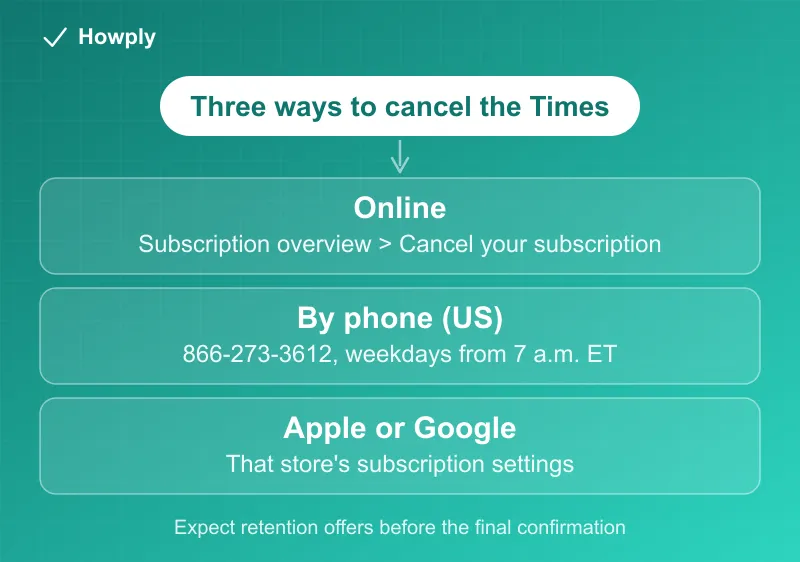
- Online: nytimes.com > log in > account > Subscription overview > Cancel your subscription, then click through the offers to the final confirmation
- Phone (US): 866-273-3612, weekdays starting 7 a.m. ET
- Billed through Apple or Google: cancel in that store’s subscription settings instead
- Expect retention offers: discounts and pause offers appear before the final cancel button
- Access: benefits typically run to the end of the paid period
Key facts at a glance
| Question | Answer |
|---|---|
| Online | nytimes.com > account > Subscription overview > Cancel your subscription |
| By phone (US) | 866-273-3612, weekdays starting 7 a.m. ET |
| Billed via Apple or Google | Cancel in that store’s subscription settings |
| Retention screens | Several before the final button; keep declining to the explicit confirmation |
| When it takes effect | Benefits typically run to the end of the paid period |
| Win-back discount | Real; if price is the issue, start the cancel flow and accept the offer |
Method 1: Cancel online
- Log in at nytimes.com and open your account menu
- Go to Subscription overview, then find Cancel your subscription under manage subscriptions
- The site will walk you through offers (a discounted rate, a pause, a plan change). Keep choosing to continue canceling
- Stop only when you reach an explicit cancellation confirmation, and save the confirmation email
The cancel option can be easy to miss on the page, and the retention flow is several screens deep. That is by design; just keep declining politely.
Method 2: Cancel by phone
If the online path will not show you a cancel option (this can happen with certain older plans or bundles), call 866-273-3612 on a weekday. Have your account email ready, expect a retention pitch, and ask for a confirmation number or email before hanging up.
Billed through Apple or Google?
If you subscribed via the App Store or Google Play, the Times does not control your billing. Cancel in Settings > your name > Subscriptions (Apple) or Play Store > Payments & subscriptions (Google).
Use the retention offer if it suits you
The Times’ win-back discounts (often a steeply reduced rate for several months to a year) are real. If your issue is price rather than the product, starting the cancellation flow and accepting the offer is the standard way subscribers get the lower rate. If you genuinely want out, decline and finish the flow.
After you cancel
Save the confirmation email until you have seen a clean billing cycle. If a charge appears after your confirmed end date, reply to the confirmation email thread or call with your confirmation number, and dispute with your card issuer if unresolved.
Bottom line
Log in, Subscription overview, Cancel, and click through the offers to the end. Phone (866-273-3612, weekdays) remains the fallback, and app-store subscribers cancel where they pay.
Steps verified against The New York Times’ account flow and published support information as of July 18, 2026. Plans vary, and if the process changes this guide will be updated with the revision noted.