Steam Refund Denied or Not Showing Up? What the Rules Actually Allow
Outside the 14-day window is not an automatic no, approved refunds land within a week, and refunding before a sale is officially fine. The Steam rules, decoded.
The standard Steam refund story is simple: under 14 days since purchase, under 2 hours of playtime, money back. The interesting cases are everything else, the denial email, the approved refund that never lands, the game key that Steam refuses to touch. Steam’s official refund policy has more give in it than most people assume, and also a few walls that are genuinely final. Here is which is which.
The quick answer
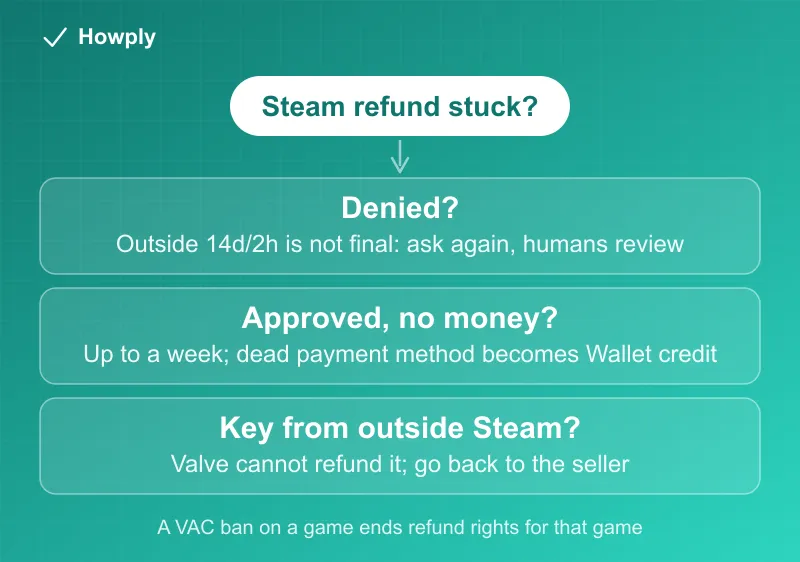
- Outside the 14-day/2-hour window is not an automatic no. Steam’s own policy says you can “ask for a refund anyway and we’ll take a look.” Requests outside the rules get a human review, not a wall
- Approved refunds arrive within a week of approval, to your original payment method or Steam Wallet
- Dead or refund-incompatible payment method? Steam credits your Steam Wallet for the full amount instead. Check the Wallet before assuming the money vanished
- Refunding a game right before a sale to rebuy it cheaper is officially not abuse. Steam says so explicitly
- Keys bought outside Steam cannot be refunded by Valve. Third-party key sites and retail cards are the seller’s problem, not Steam’s
- A VAC ban on a game ends your refund right for that game. That one is final
Key facts at a glance
| Question | Answer |
|---|---|
| Standard window | 14 days from purchase, under 2 hours of playtime |
| Outside the window | You may still request; Steam reviews it case by case |
| How long until the money arrives | Within a week of approval |
| Where it arrives | Original payment method, or full amount to Steam Wallet if the method cannot take refunds |
| DLC | 14 days, and the base game played under 2 hours since the DLC purchase, DLC unused |
| In-game purchases | 48 hours for Valve games if unconsumed; other games only if the developer opts in |
| Pre-orders | The 14-day clock starts at release; the 2-hour limit applies |
| Third-party keys / wallet cards | Not refundable by Valve; contact the seller |
Denied for being outside the window? Ask again, properly
The most under-used sentence in the entire policy: for purchases that fall outside the standard rules, “you can ask for a refund anyway and we’ll take a look.” That means a denial on window grounds is the start of a conversation, not the end. File through help.steampowered.com: pick the purchase, choose the reason that is actually true (a technical problem that prevented play reads very differently from “changed my mind”), and describe it concretely. Playtime spent trying to make a broken game run is a materially different case than playtime spent finishing it, and a human reviewer sees the difference.
The denials that are genuinely final
Some walls do not move, and knowing them saves you the appeal:
- VAC ban: per the policy, being banned in a game removes the right to refund that game
- Consumed content: DLC or in-game items that have been used, modified, or transferred are done; the refundable state is the unused state
- Keys and cards bought outside Steam: Valve states flatly that it “cannot provide refunds for purchases made outside of Steam.” A key from a reseller refunds through that reseller’s own policy, if it has one
- An abuse pattern: Steam reserves the right to stop offering refunds to accounts that abuse them. One notable exception it names itself: refunding a game just before a sale and rebuying it at the sale price is not considered abuse
Approved, but the money never arrived
The clock is short here: refunds are issued within a week of approval. If it has been longer, check two things in order. First, your Steam Wallet: when the original payment method cannot accept refunds, Steam credits the Wallet with the full amount, and that switch is easy to miss. Second, your payment provider’s own posting delay on top of Steam’s week. Past both, reopen the ticket at help.steampowered.com with the approval date. And if the card behind the purchase has been closed entirely, the recovery route runs through your bank, the same pattern as Apple and Google refunds.
The special cases, quickly
- DLC: refundable within 14 days if the base game has been played under 2 hours since the DLC purchase and the DLC is untouched; some third-party DLC is marked nonrefundable at checkout
- In-game purchases: 48 hours for Valve-made games, unconsumed only; for other games, only if the developer has opted in, which the store page will say
- Pre-orders and Early Access: paying early does not burn your window, the 14 days start at release; but the 2-hour playtime limit still applies
- Bundles: refundable only whole, with combined playtime under 2 hours and nothing transferred
- Gifts: unredeemed gifts refund within the normal window; once redeemed, the recipient has to file
Bottom line
Read your situation against the walls first: VAC ban, consumed content, and outside-Steam keys are final. Everything else is workable: an out-of-window denial invites a properly-argued second request, an approved-but-missing refund is usually sitting in your Steam Wallet, and the week-long clock plus your bank’s posting time explains most of the rest. For the standard in-window flow itself, our Steam refund walkthrough has the step-by-step.
Rules verified against Steam’s official refund policy. If Valve changes the policy, this guide will be updated with the revision noted.